
Real routes
The full screen is an expo-router route group: deep links, Android back, browser back and nested screens use the normal navigation stack.
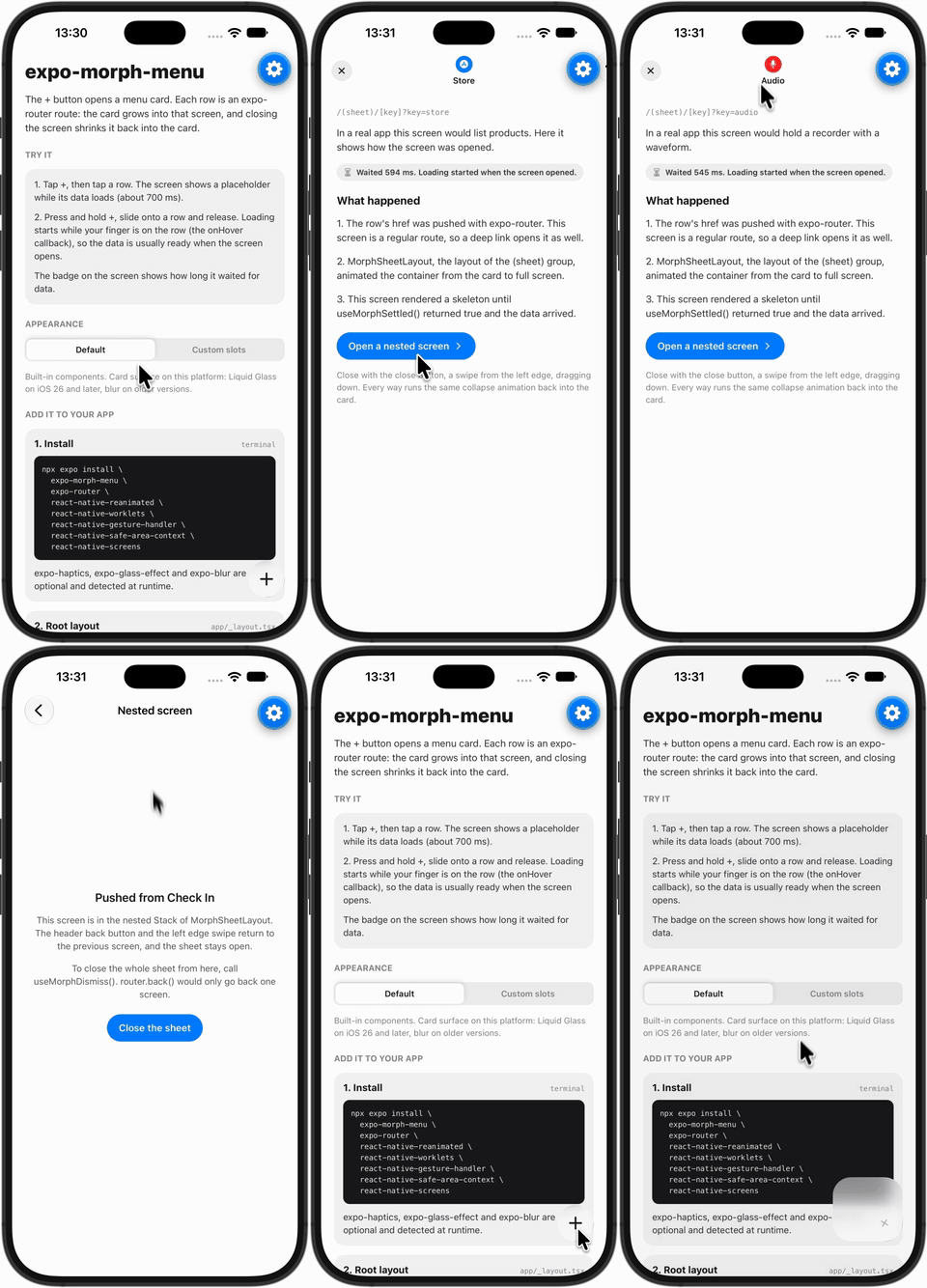
npx expo install expo-morph-menu \ expo-router react-native-reanimated react-native-worklets \ react-native-gesture-handler react-native-safe-area-context react-native-screensapp/_layout.tsx: the provider, the sheet group and the menu.
<MorphProvider items={items}> <Stack> <Stack.Screen name="index" /> <Stack.Screen name="(sheet)" options={morphSheetScreenOptions} /> </Stack> <MorphMenu /></MorphProvider>app/(sheet)/_layout.tsx: every route inside grows out of the card.
<MorphSheetLayout> <Stack.Screen name="[key]" /></MorphSheetLayout>app/(sheet)/[key].tsx: a regular screen with a close button.
<MorphCloseButton />The phone on the left is exactly this. Usage has the whole files, ready to copy.
Real routes
The full screen is an expo-router route group: deep links, Android back, browser back and nested screens use the normal navigation stack.
One continuous motion
The full screen starts from the card’s bounds and returns to them; the card and the screen swap on the UI thread in a single frame.
Slots
Background, rows, trigger, highlight, separator, scrim and backdrop are replaceable, so the menu fits any UI kit.
Gestures per platform
Edge swipe and drag down on iOS, close button and hardware back on Android, Esc and browser back on web. Press, slide and release to pick a row.
Prefetch on hover
onHover fires while the pointer is on a row, before it is selected, so the next screen’s data is often ready when it opens.
iOS, Android, web
Liquid Glass on iOS 26, blur on older iOS, solid elsewhere; the same code on every platform.
Six apps on the same two routes and one MorphProvider, each with its own items, config, slots and screens. Open one to run it and copy its single file.



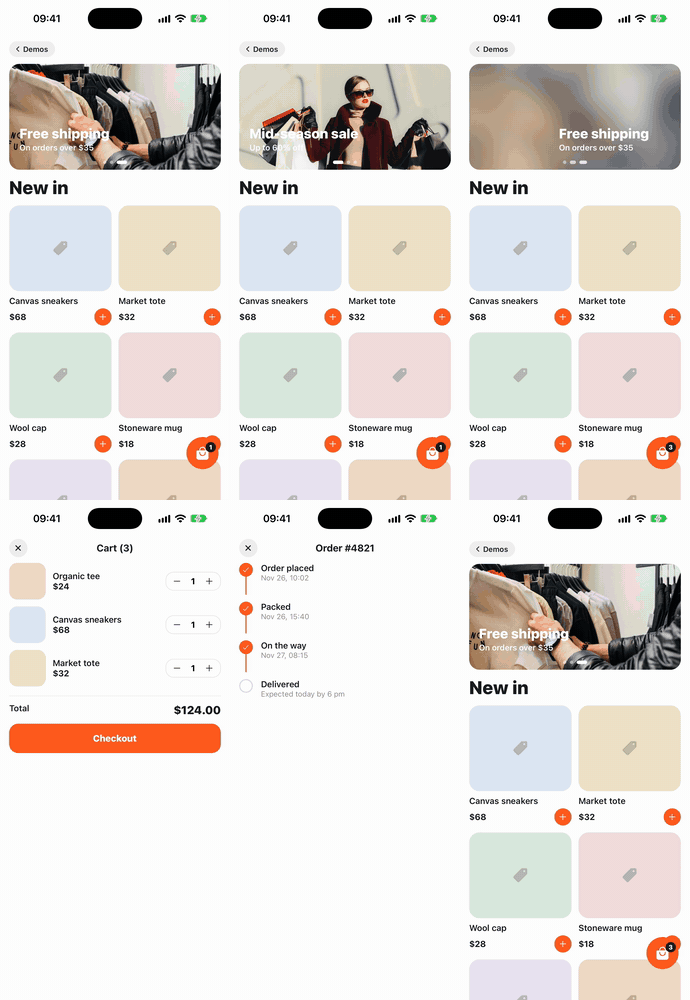
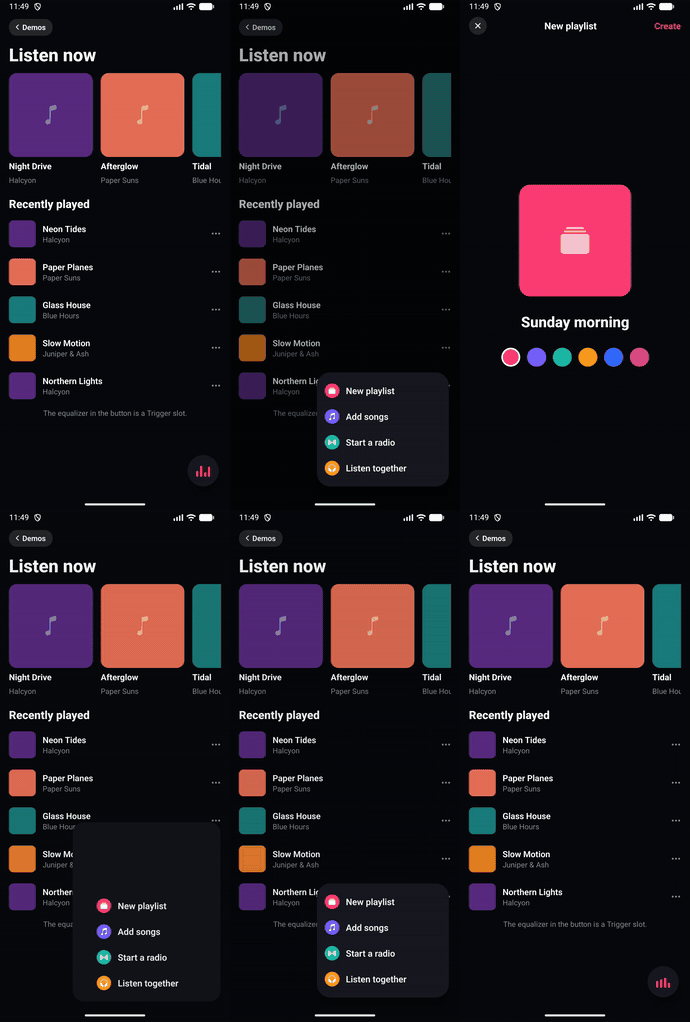
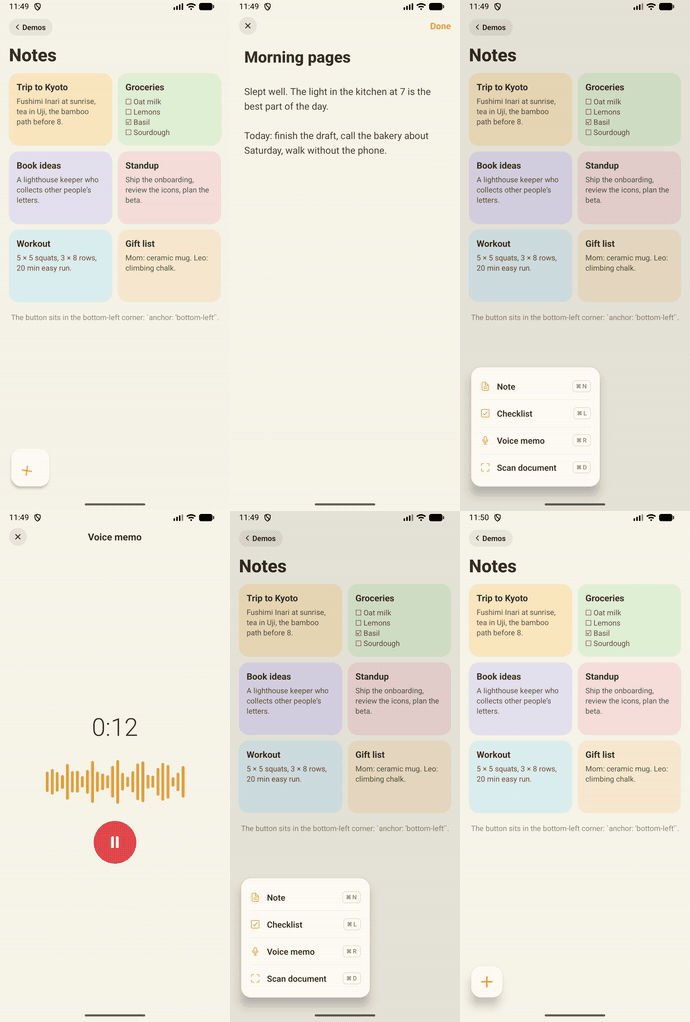
Start from an example, then replace any part with your own components through slots, with recipes for NativeWind, Tamagui, React Native Paper and Unistyles. Every option is in Configuration.
expo-morph-carousel is a carousel for Expo and React Native whose images melt into each other like liquid while the pages slide, drawn with Skia. Same author, same stack (Reanimated 4, iOS, Android, web), and the two work together: the shop demo here opens on a banner made with expo-morph-carousel, and the shop product page in expo-morph-carousel has an info button made with this menu.